Ink Cards
- 4.8
- Rating
- 1.00M
- Installs
- Free
- Price

 Analysis by App-foxy
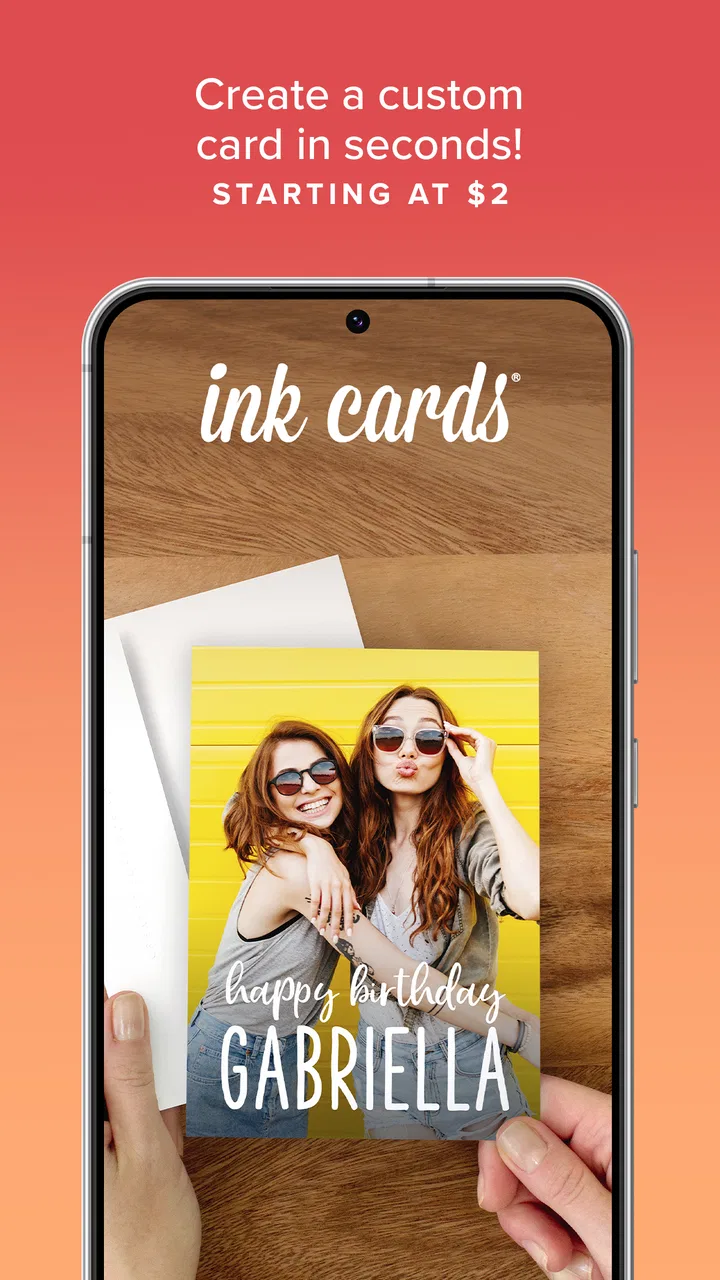
Ink Cards is the kind of photography app I open when a picture should become something physical rather than remain buried in my camera roll. It turns a selected photo into a personalized card, and the appeal is easy to understand: I can prepare a thoughtful message around an image without designing everything from scratch. The app is free to install, while the finished card is presented at a two-dollar price, so it sits somewhere between a digital photo editor and a simple mail-order keepsake.
After spending time with it, I see the strongest use case as a small, personal gesture. A favorite holiday photo, a child’s milestone, a thank-you note, or a quick message to someone who lives far away can all start with the same basic workflow. It is not trying to replace a full desktop design program, and it is not a general-purpose photo editor. Its value comes from narrowing the task to one pleasant outcome: choosing a photo, personalizing the card, and sending that idea into the real world.
How the basic card-making workflow feels
The first step is naturally selecting an image, but the better results come from treating that choice as part of the design rather than simply picking the newest picture. I found that photos with a clear subject and some breathing room are easier to use than crowded group shots. A portrait with the face close to the edge can feel cramped once it is placed into a card layout, while an image with open space gives the message and framing more room to work.
You May Also Like

 Blood Strike: 2.5 Anniversary
Blood Strike’s Loadouts Turn Every Drop Into a Tactical Gamble
A close look at Blood Strike’s custom loadouts: how fast access to signature weapons reshapes its battle royale rhythm, rewards preparation, and narrows the gap between fights.

 Pandora - Music & Podcasts
Pandora’s Music Is Easy to Start, but Harder to Recover
Pandora’s strength is its low-effort path from a seed to a station. Its weak spot is how much confidence it asks you to place in connection, setup, and quiet recovery.

 8 Ball Pool
 Is Built on Rivalries, Rematches, and Routine
A close look at the rivalries, rematches, shared routines, and unanswered safety questions that turn a quick pool match into a persistent mobile community.

 Samsung Music
’s Quiet Strength Is Playing What You Already Own
Its reach comes less from spectacle than from dependable access to a personal library. That simplicity is both the app’s strongest retention engine and its ceiling.

 AccuWeather: Weather Radar
AccuWeather Review: A Quick, Clear Forecast for Everyday Decisions
For everyday plans, the best forecast is the one you can understand quickly. AccuWeather makes rain timing, radar, and local conditions easy to act on, with a few trade-offs.

 Hill Climb Racing
Why Hill Climb Racing Still Turns Crashes Into One More Run
A tiny car, a bumpy hill and one more upgrade: Hill Climb Racing keeps resurfacing because its simple chaos makes every near-miss feel personal.
More From Our News Desk
View All News


That small distinction matters because Ink Cards is deliberately simpler than a conventional image editor. I would not approach it expecting layers, detailed retouching, or the kind of control offered by a professional photography application. Instead, I use the original camera image as the main visual statement and let the card format provide the presentation. The less I try to force the photo into an unsuitable composition, the more polished the result feels.
The personalization stage is where the app becomes more useful than merely printing a photo. I can adapt the card to the person receiving it instead of settling for a generic caption. For a birthday, I might keep the wording brief and let the image carry the emotion. For a thank-you, I would write something more direct and specific, because a personal sentence usually feels more meaningful than a decorative phrase.
The best results come from choosing the message and the photo as one composition. I recommend writing a rough version of the message before finalizing the image. If the text is warm and detailed, a quieter photo usually supports it better. If the photo is dramatic or funny, a shorter line prevents the front of the card from becoming visually busy.
One everyday scenario shows where this workflow makes sense. Imagine taking a good picture during a family visit and wanting to thank a relative who helped make the day special. Rather than posting it publicly or sending another disposable message, I can turn that image into a card while the memory is still fresh. The process is more deliberate than sharing a file, but much less demanding than arranging a custom printed project through a full stationery service.
The app is also approachable for people who do not normally think of themselves as creative. There is no need to understand typography, bleed settings, or print preparation before beginning. That simplicity is a genuine strength, especially when the goal is a quick personal card rather than a carefully art-directed invitation.
Photo choices that save time later
I learned to inspect the entire image before committing to it. A subject that looks centered in the camera roll may sit awkwardly once the card framing changes. Photos with strong horizontal or vertical lines can also reveal alignment problems more quickly than casual snapshots. When I have several similar images, I choose the one where the important face, object, or landmark has the most space around it.
It is worth preparing a small selection first instead of opening the app with hundreds of unrelated pictures in view. I often create a temporary album for the occasion, especially when the card is tied to a recent event. This makes the selection stage faster and reduces the temptation to choose an image simply because it is recent rather than because it communicates the right feeling.
Another useful habit is keeping the original photo untouched. I make any major crop or color adjustment in the phone’s normal photo tools first, then bring the finished version into the card workflow. That separation gives me a fallback if the composition does not look right and avoids repeatedly changing the same image while trying to solve a layout problem.
Settings and choices worth checking before sending
Ink Cards is not a settings-heavy photography tool, so I would not waste time hunting for controls that belong to a different kind of app. The important checks are practical: confirm the selected image, read the complete message, inspect how the photo and text sit together, and make sure the recipient details are correct before placing the order. A few seconds of review can prevent a small mistake from becoming a physical one.
I pay particular attention to spelling and punctuation because a card feels more permanent than a casual chat message. On a phone, it is easy to overlook an autocorrect change or leave a sentence unfinished. Reading the message aloud is surprisingly effective; it shows whether the tone sounds like something I would actually say to that person rather than something copied from a greeting-card aisle.
The cost is another decision point. The app itself is free, but the completed card is described as costing two dollars. That makes the service easy to try, yet the price still deserves a quick moment of thought when I am making several cards. For one meaningful image, the convenience can be worthwhile. For a large batch of identical cards, I would compare the total with a dedicated printing service before proceeding.
That trade-off is central to the experience. I am paying for a focused path from phone photo to personalized card, not just for access to editing tools. If I already have a printer, design software, and plenty of time, I may prefer making the physical cards myself. If I want to avoid that preparation and value the finished object more than absolute control, the simpler route makes more sense.
The age rating of Everyone also matches the straightforward nature of the product. I would still guide a child through the purchase and recipient steps, not because the creative process is complicated, but because sending a physical item involves decisions that are better checked by an adult. The app feels suitable for family use, while the final order deserves the same care as any other purchase.
Repeatable patterns for faster, better cards
Experienced use is less about discovering secret tools and more about building a repeatable routine. My preferred pattern is to choose the occasion, gather a small group of candidate photos, decide on the message, and only then complete the card. This prevents me from repeatedly switching between writing and image selection without a clear direction.
I also keep a few message structures in mind, while rewriting every card so it still sounds personal. A useful structure is: mention the specific moment, explain why it mattered, and finish with a warm closing. That approach works for appreciation cards and avoids the vague wording that can make a personalized product feel surprisingly impersonal.
For recurring occasions, I would create a simple phone album for each person or family event. The advantage is not an Ink Cards feature; it is a preparation habit that makes the app more efficient. When the right photos are already grouped together, the card-making session becomes a short creative task instead of a search through the entire library.
Another time-saving pattern is doing a visual check on a larger screen when possible before committing. The phone preview is convenient, but small text and subtle cropping issues are easier to notice when the image is viewed without distractions. I do not need a separate design workflow for every card, yet a deliberate final look is worthwhile when the result will be printed.
I would also avoid making the message carry information that the photo already communicates. If the image clearly shows a celebration, the text can focus on the relationship or memory. This keeps the front from feeling overloaded and gives the card a more natural voice. In my experience, restraint is more useful here than adding every available thought.
For several cards, I would prepare all the photos and draft all the messages first, then process them in one sitting. That reduces context switching and makes it easier to notice inconsistencies, such as one card having a very formal tone while the others are casual. It also gives me a chance to check names and addresses together rather than treating each card as an isolated task.
Where the simple approach reaches its limits
The same focus that makes Ink Cards approachable can feel restrictive to someone who wants detailed creative control. I would not choose it for a complex collage, a branded business mailer, a carefully matched wedding stationery suite, or a project requiring exact typeface and color decisions. Those jobs are better handled by a full design application or a printing service with broader customization.
It is also not the right answer when the main goal is improving the photograph itself. If an image needs extensive retouching, noise reduction, selective adjustments, or precise color work, I would finish that work elsewhere before bringing the photo into the card process. The app’s purpose is the personalized physical card, not deep image correction.
Users who need to send a large number of cards should think about efficiency and cost before beginning. A one-off card benefits from the low-friction workflow, but bulk projects may expose the limits of a simple mobile approach. In that situation, a service designed around batches, address management, or broader print formats may be more suitable, even if it takes longer to learn.
There is also a difference between convenience and complete control. Ink Cards reduces decisions, which is helpful when I want to finish something quickly. But fewer decisions mean fewer opportunities to fine-tune the final design. I see that as an intentional compromise rather than a flaw, although it is important to recognize before starting a project with a very specific visual target.
Because the final product is physical, I would be more cautious than I am with a social post. A typo, unsuitable crop, or wrong recipient detail cannot be fixed with a quick edit after sending. My practical safeguard is to pause after the preview, check the image edges, read the message once more, and verify the recipient information independently of the creative review.
The app’s long presence in the photography category is reflected in its established audience: it has a 4.8 average from around 21 thousand ratings, with more than a million installs. Those figures suggest that the basic idea has found a substantial audience, but they do not change the central question for me: do I want a quick, personal card, or do I need a more elaborate print-design workflow?
Who should use it, and who should choose something else?
I would recommend Ink Cards to someone who takes plenty of phone photos but rarely does anything with them beyond sharing. It gives those images a more intentional destination without demanding professional design knowledge. It is especially appealing for personal occasions where the photo matters because of the memory behind it, not because it is technically perfect.
It also suits people who want a tangible alternative to another digital message. A card can feel more considered than a reaction or a forwarded image, and the app keeps the preparation manageable. The free installation makes experimentation easy, while the two-dollar finished-card price provides a clear boundary for deciding whether the gesture is worth making.
I would steer photographers looking for manual editing toward a dedicated photo editor instead. I would point small businesses toward a design and print platform if they need logos, repeatable templates, or coordinated materials. I would also suggest a traditional stationery service for anyone who needs many cards with strict formatting requirements.
For families, the app can become part of a useful memory habit: select one meaningful image after an event, write a sentence that identifies why the moment matters, and send it before the memory becomes distant. That is more valuable than treating every photo as a candidate. The strongest cards are selective, not automatic.
My verdict after making it part of a photo routine
Ink Cards succeeds because it keeps its purpose clear. Developed by Sincerely, it is a free photography app for turning a phone image into a personalized card, with the physical result positioned at a modest two-dollar price. The current version is 70.15.0 and requires operating system version 10 or later, so I would check device compatibility before planning an occasion around it.
What I like most is the reduction of friction. I do not have to become a designer before making something personal, and I can start with the photos I already take every day. The workflow rewards thoughtful selection and careful wording, which means the quality of the final card depends more on my choices than on complicated tools.
What keeps it from being a universal recommendation is the limited need it serves. This is not a replacement for a serious editor, a high-control layout program, or a bulk printing workflow. It is best when I want one personal image to become a simple physical gesture and do not want the project to expand into a design assignment.
My final advice is to use it deliberately: prepare the photo first, write a message that belongs to the recipient, inspect the crop and text, and check the order details before sending. With that routine, Ink Cards feels less like a novelty and more like a practical bridge between a camera roll and a real keepsake. For the right occasion, that focused simplicity is exactly the point.
FAQs for Ink Cards
01What is Ink Cards and how does it work?
Ink Cards is a mobile app available on Android and iOS that allows users to create and send personalized greeting cards directly from their smartphones. Users can select from a variety of templates, customize them with personal photos and messages, and have the cards professionally printed and mailed to recipients anywhere in the world.
02Is there a cost associated with sending cards through Ink Cards?
Yes, there is a cost for sending cards through Ink Cards. While the app itself is free to download, users pay a fee for each card they send. The cost covers printing, postage, and delivery. Pricing varies depending on the destination and customization options chosen, but it is generally affordable.
03Can I send cards internationally using Ink Cards?
Absolutely, Ink Cards allows you to send greeting cards to recipients all over the world. The app provides international shipping options, ensuring your card reaches its destination regardless of the recipient's location. Keep in mind that international delivery may incur additional fees and take longer than domestic shipping.
04What customization options are available in Ink Cards?
Ink Cards offers a wide range of customization options. Users can choose from various card templates and themes, add personal photographs, and write custom messages. The app also provides different font styles and colors to make your card truly unique. Additionally, you can schedule delivery dates to coincide with special occasions.
05How long does it take for a card to be delivered?
Delivery times for Ink Cards vary depending on the destination. Typically, cards sent within the United States arrive within 3-7 business days. International deliveries may take longer, generally 7-14 business days. The app allows you to track your order status, providing updates on when your card is expected to be delivered.
Pros
- User-friendly interface for easy navigation.
- Wide variety of card designs available.
- Quick and efficient delivery service.
- Option to schedule card deliveries in advance.
- High-quality print materials used.
Cons
- Limited customization options for card designs.
- Occasional app crashes reported by users.
- Higher international shipping fees.
- Some users find the app notifications intrusive.
- No option to add gift items with cards.

Ink Cards
Gallery